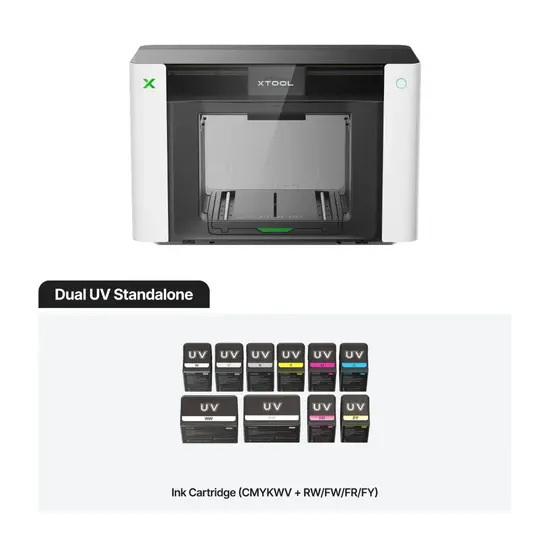
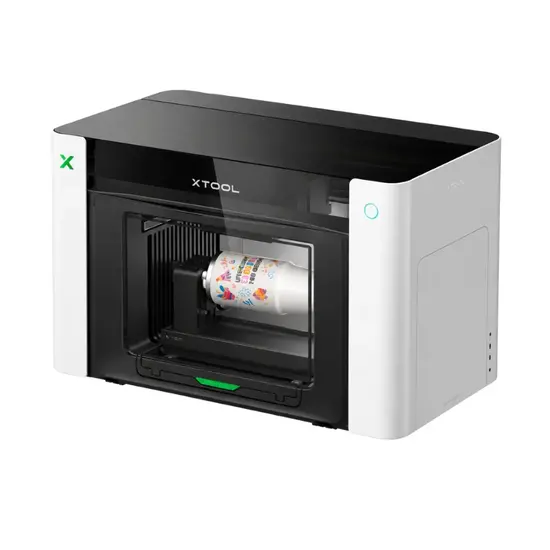
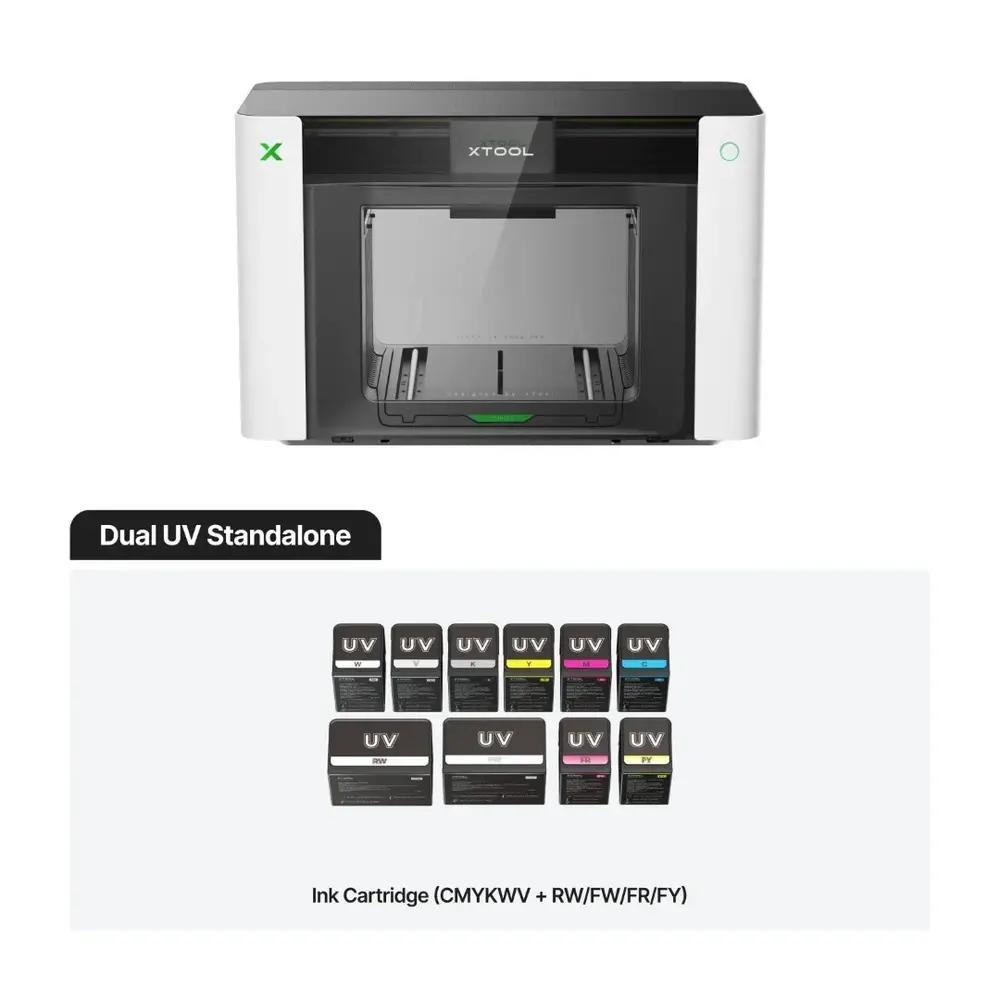
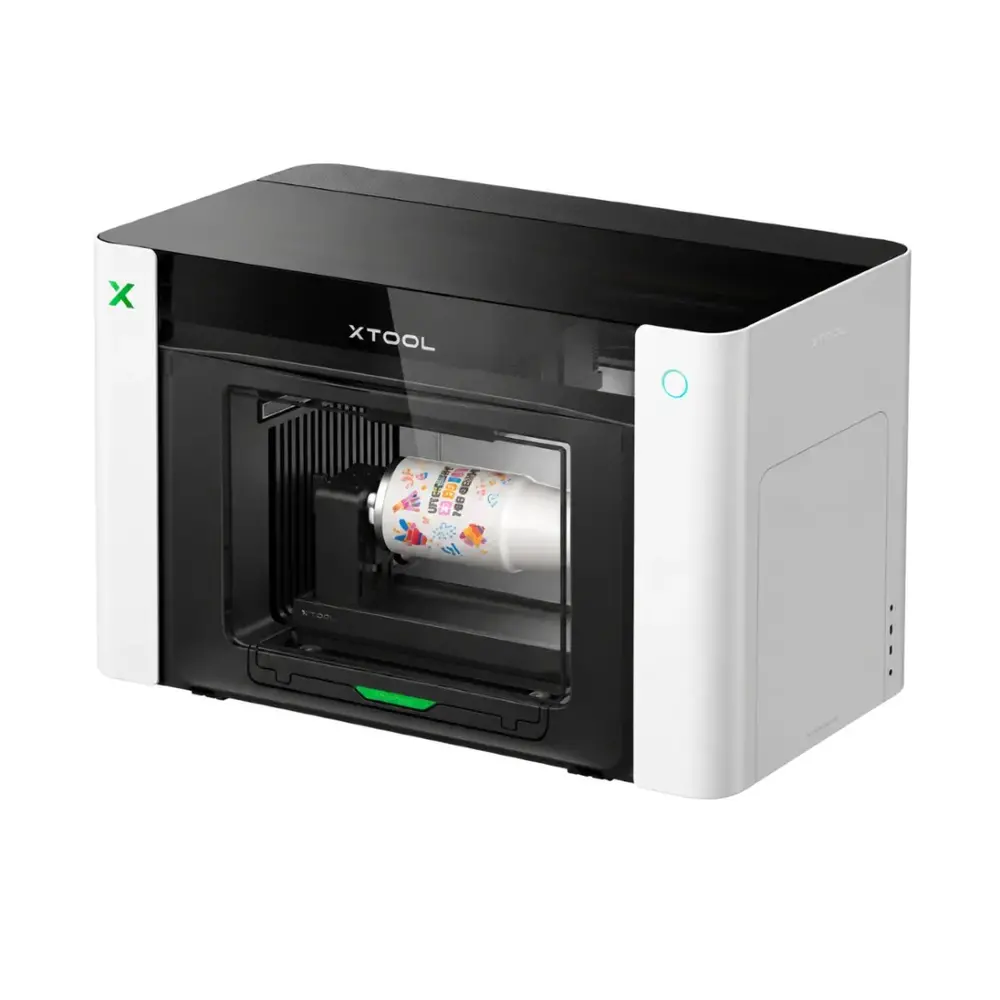
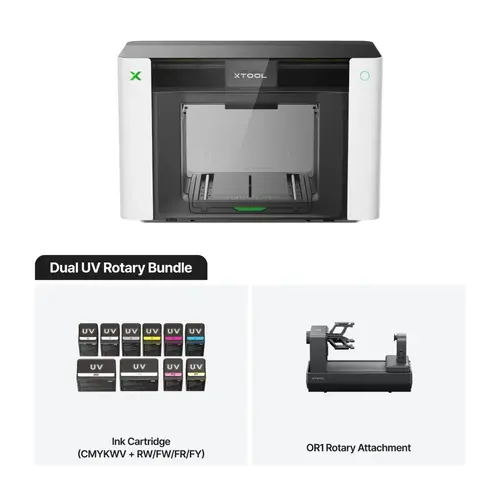
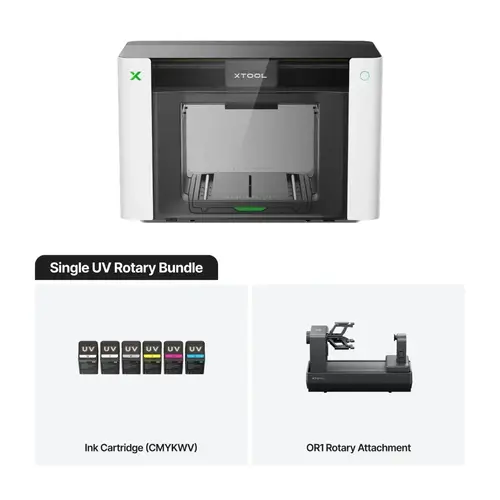
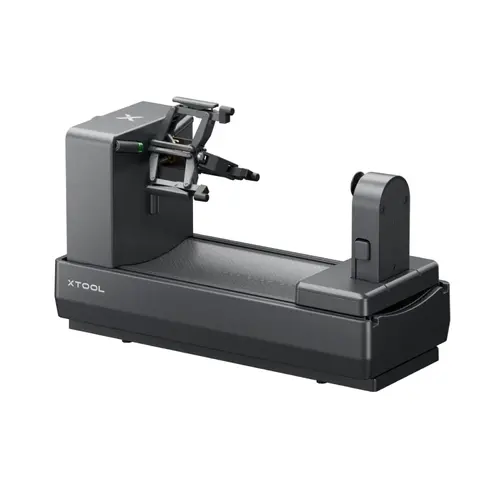
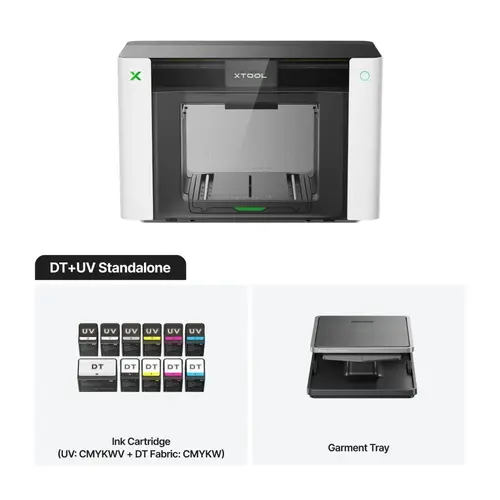
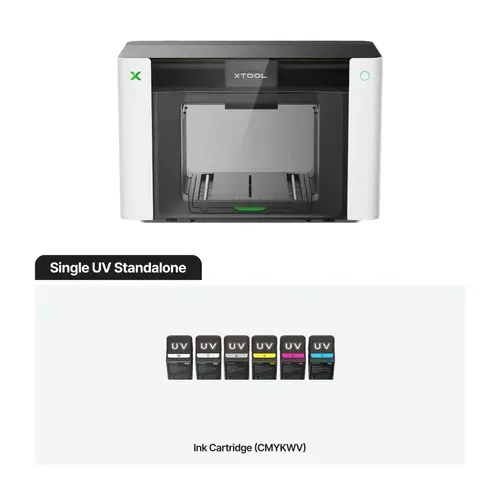
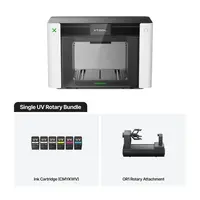
xTool O1 Omni Dual UV is a desktop ultraviolet printer for full-colour printing on finished products and producing UV DTF transfers. The model is equipped with two Epson F1080 print heads with a resolution of 720 × 1440 dpi. It supports the application of embossed images up to 7 mm in height, printing with fluorescent inks, and decorative effects. It is suitable for making souvenirs, promotional merchandise, accessories, and personalised products.
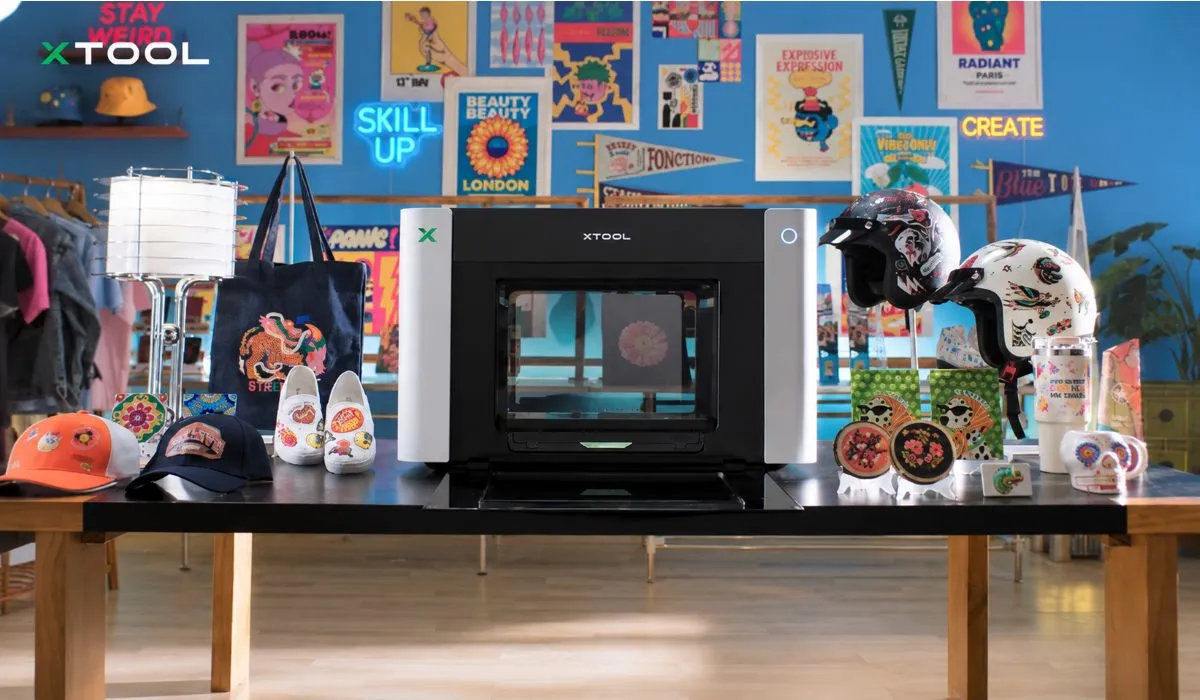
xTool O1 Omni: Examples of personalised products made with the xTool O1 Omni.
Advantages of the xTool O1 Omni Dual UV
Versatile 4-in-1 printing technology. Support for UV, UV DTF, DTG, and DTF for applying full-colour images onto rigid materials, textiles, and transfer films.
Dual print heads. Epson F1080 print heads provide full-colour UV printing with support for additional ink channels, including fluorescent colours.
Precise Pixel-scan positioning. The camera detects the placement of items on the platform and helps align the layout with an accuracy of up to ±0.2 mm.
Embossed printing up to 7 mm. Multi-layer ink application allows you to create 3D lettering, textures, and decorative elements.
Certified UV ink. The inks are GREENGUARD Gold certified.
Consistent colour reproduction. The G7-certified colour management system helps accurately reproduce shades during printing.
Lenticular printing. Special images change depending on the viewing angle.
SmartCycle 2.0 automated maintenance. The system maintains ink circulation and protects print heads from drying out during idle periods.
Preview on cylindrical objects. The 3D model allows you to check design placement before printing.
AI-assisted layout design. xTool Studio tools help generate images and prepare graphics for printing.
UV and UV DTF Printing Technologies
The xTool O1 Omni Dual UV printer works with ultraviolet inks that cure under UV light. The model supports two image application methods.
Direct UV printing. The image is applied directly onto the surface of the item. This technology is suitable for decorating acrylic, wood, metal, glass, ceramics, and other compatible materials.
UV DTF printing. Graphics are printed on a special film and then transferred onto the finished object. This method is suitable for decorating complex-shaped items where direct printing is impractical. A compatible laminator is required to prepare transfers.
The Dual UV version is not intended for direct-to-garment (DTG) printing on textiles or producing textile DTF transfers.
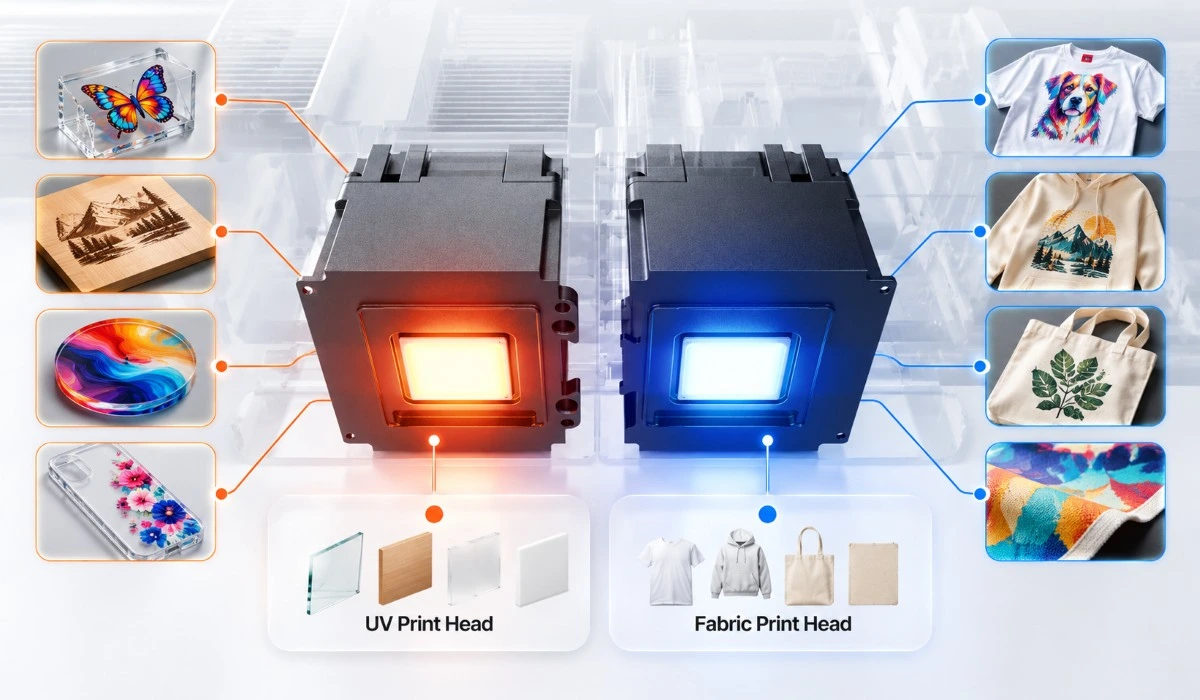
xTool O1 Omni: Illustration of different print head types in the xTool O1 Omni line-up.
Embossed UV Printing and Decorative Effects
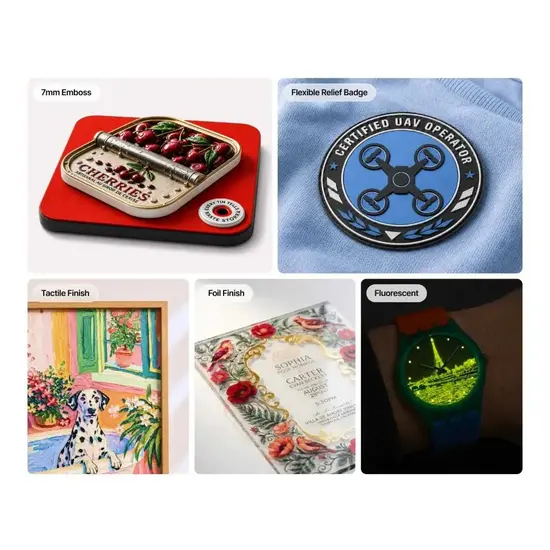
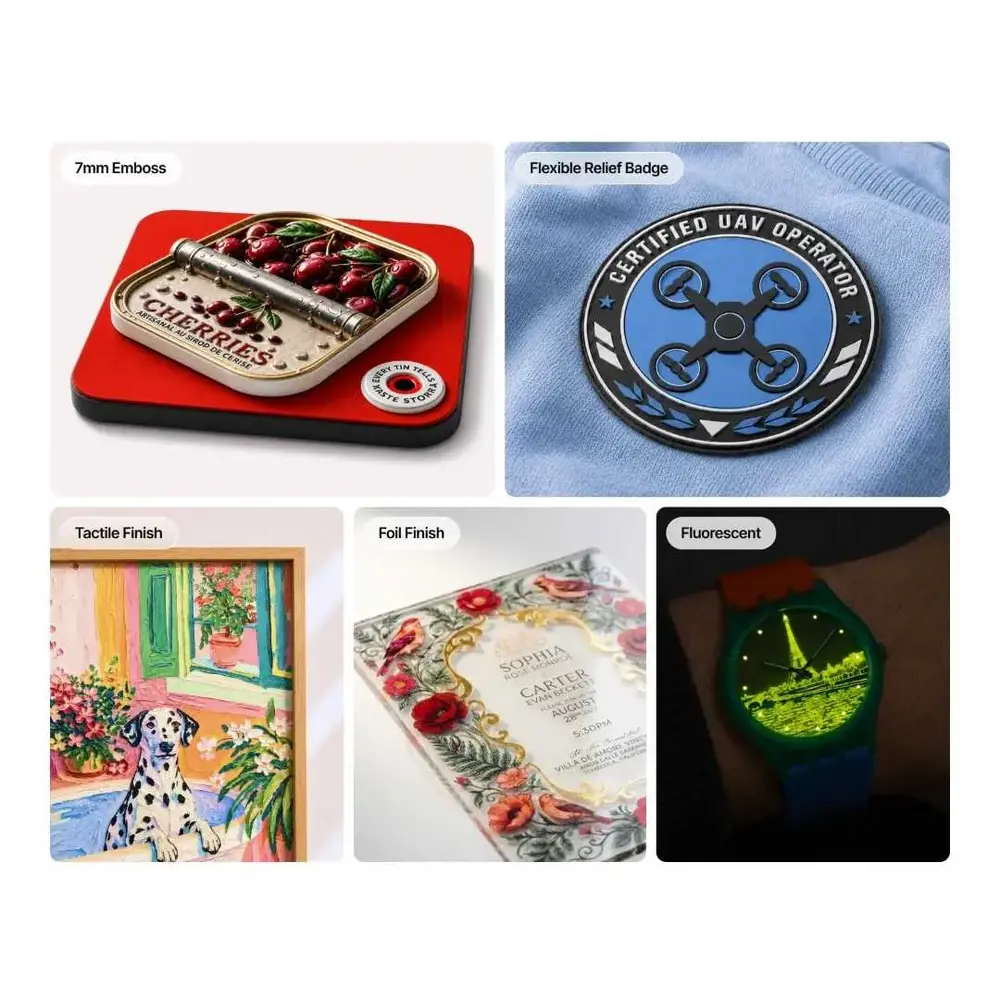
The xTool O1 Omni Dual UV applies ink in multiple layers, building an embossment up to 7 mm high. This makes it possible to print raised logos, lettering, textured patterns, and decorative coatings.
A library of over 2000 textures is available for layout preparation. Ready-made templates reduce the time needed to create embossed designs. The printer also supports:
Fluorescent printing. Application of decorative graphics using special coloured inks.
Matte and gloss effects. Spot varnish application to highlight specific image details.
Lenticular images. Creation of graphics with an image-shifting effect depending on the viewing angle.
Foil embellishment. Decorating prints using compatible optional equipment.
Precise Positioning and Automated Maintenance
The Pixel-scan system scans the build platform and determines the location of blanks. The 1440 × 1200 dpi camera helps place graphics accurately on one or multiple objects. The stated positioning accuracy is ±0.2 mm.
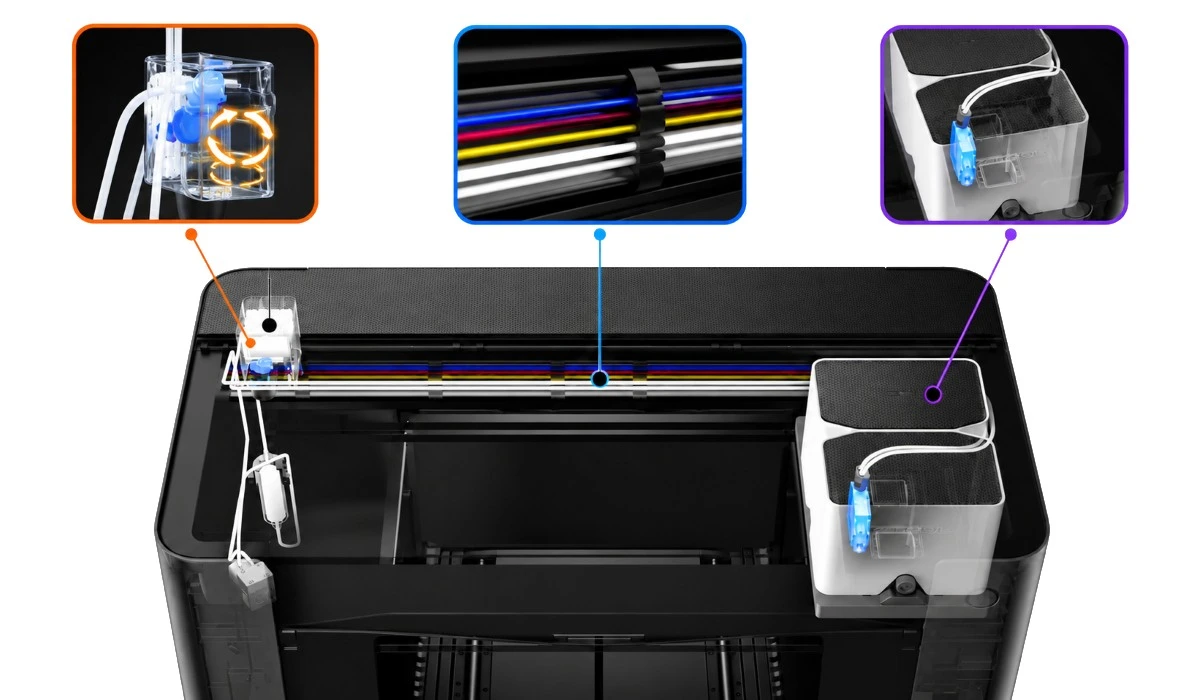
SmartCycle 2.0 automates ink system maintenance. White ink circulation and agitation reduce pigment settling, while protective functions help prevent print heads from drying out.
xTool O1 Omni: Ink and print head maintenance system.
Working Area and Materials for UV Printing
The printer is equipped with interchangeable working platforms for products of various sizes. Working area dimensions:
Standard platform: 330 × 122 mm.
Extended platform: 330 × 420 mm.
The xTool O1 Omni Dual UV is suitable for printing on the following materials:
Acrylic. Signs, decorative panels, souvenirs.
Wood. Giftware, boxes, decorative blanks.
Metal. Housings, info plates, branded accessories.
Glass and ceramics. Mugs, decorative tableware, promotional merchandise.
Leather and canvas. Accessories and items made from compatible flexible materials.
Transfer films. UV DTF stickers for transfer onto finished objects.
Print quality and ink adhesion depend on surface properties, coating, and pre-treatment.
xTool Studio Software
The printer is controlled via xTool Studio for Windows and macOS. The software is designed for layout preparation, placing graphics on the build platform, and configuring print settings. AI image generation tools and 3D preview of designs on cylindrical objects are available.
The xTool O1 Omni Dual UV can also be used in conjunction with compatible xTool laser machines to produce items featuring printed graphics, engraving, and laser-cut contours.
What the xTool O1 Omni Dual UV Is Suitable For
The ultraviolet printer is designed for product personalisation, promotional material production, and decorative printing. Main application areas:
Promotional merchandise. Information plaques, logos, advertising panels.
Printing on accessories. Cases, electronics enclosures, decorative covers.
UV DTF transfers. Stickers for transferring onto objects of various shapes.
Packaging decoration. Coloured lettering and graphics on compatible surfaces.
Embossed products. 3D logos, textured panels, decorative lettering.
The model is suitable for advertising workshops, souvenir makers, and businesses producing custom goods in small batches.
xTool O1 Omni — demonstration of the printer's capabilities.
xTool O1 Omni Dual UV Package Contents
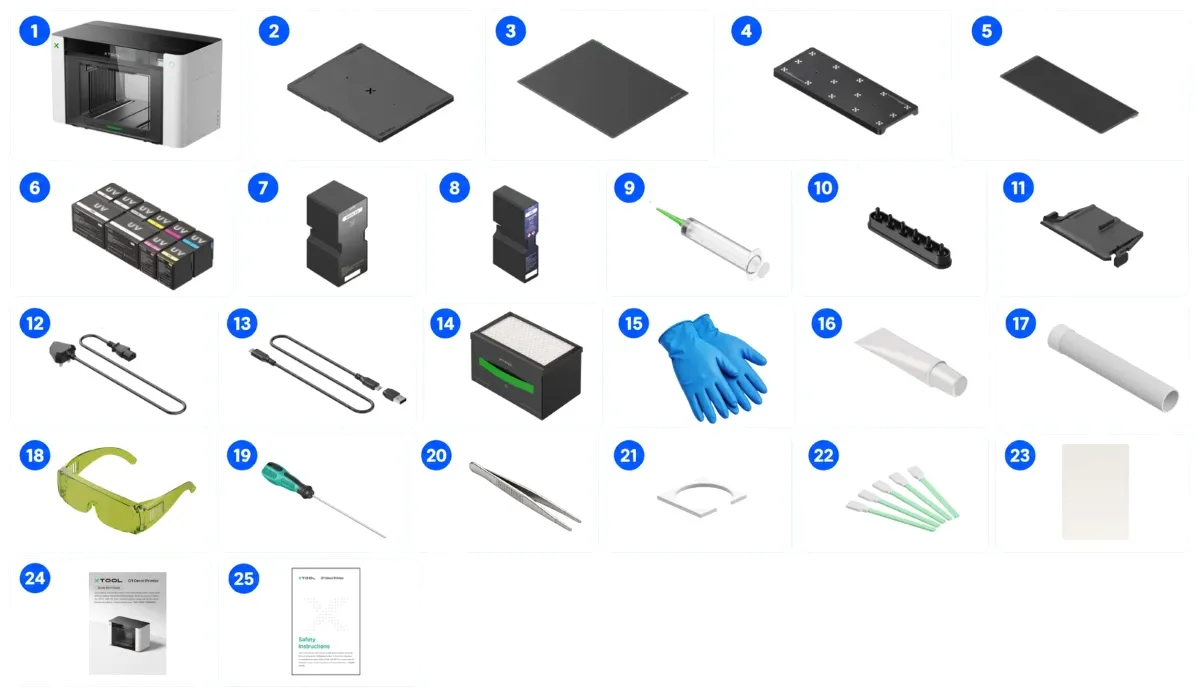
The xTool O1 Omni Dual UV package includes the printer, interchangeable build platforms, ink cartridges, consumables, and maintenance tools. The package contents include:
xTool O1 Omni Printer. Device for ultraviolet printing.
Standard working platform. For placing blanks.
Standard sticky mat. For holding materials in place.
Small working platform. For small items.
Small sticky mat. For holding small blanks.
Ink cartridges. For supplying UV ink.
Waste ink cartridge. For collecting waste ink.
Hydration liquid cartridge. For maintaining the print system.
Ink extraction tools, 18 pcs. Including 4 spares.
Ink tube stoppers, 4 pcs. For sealing channels.
Ink wipers, 2 pcs. For cleaning the print system.
Power cable. For connecting to the mains.
USB cable. For connecting to a computer.
Filter. For air purification.
Nitrile gloves. For working with ink.
Lubricant. For mechanical components.
Exhaust pipe. For air extraction.
Safety goggles. For eye protection.
Screwdriver. For assembly work.
Tweezers. For handling small parts.
Ink-absorbing pads, 4 pcs. For collecting ink residue.
xTool O1 Omni: Package contents of the xTool O1 Omni Dual UV printer.
Technical Specifications of the xTool O1 Omni Dual UV
Parameter
Value
Equipment type
Ultraviolet printer
Printing technologies
UV, UV DTF
Number of print heads
2
Print head model
Epson F1080
Print resolution
720 × 1440 dpi
Standard working area
330 × 122 mm
Extended working area
330 × 420 mm
Maximum relief print height
7 mm
Camera resolution
1440 × 1200 dpi
Positioning accuracy
±0.2 mm
Ink channels
CMYKWV + RW/FW/FR/FY
Ink cartridge capacity
125 ml
Extended white ink cartridge capacity
290 ml
Fluorescent colours
Yes
Print head drying protection
Automatic
Operating systems
Windows, macOS
Ink certification
GREENGUARD Gold
Net dimensions
714 × 374 × 468.5 mm
Net weight
41.12 kg
Buy the xTool O1 Omni Dual UV Ultraviolet Printer
Order the xTool O1 Omni Dual UV for full-colour UV printing, creating embossed images, and producing UV DTF transfers. Contact our specialists to check package contents, material compatibility, accessory availability, and purchase conditions.
Key Parameters
Printing technology
UV, UV DTF, DTG, DTF
Dimensions netto (mm)
714×374×468.5
Weight netto (kg)
41.12
Hardware & Performance
Positioning Accuracy (µm)
±0.2
Software & Connectivity
Software
xTool Studio / xTool Creative Space
Special Function
Camera Resolution (pixels)
1440×1200
Reviews
0/ 5
average product rating
Write a review
0
0
0
0
0
There are no reviews for this product. Be the first to leave your review.
No questions about this product, be the first and ask your question.
We use cookies and other tracking technologies to improve the website, personalize content, and analyze traffic. You can adjust your settings in the settings.
Necessary cookies enable core functionality of the website. Without these cookies the website can not function properly.
Statistic cookies help website owners to understand how visitors interact with websites by collecting and reporting information anonymously.
A set of cookies to collect information and report about website usage statistics without personally identifying individual visitors to Google.
Marketing cookies store user data and behavior information, which allows advertising services to target more audience groups.
We use cookies and other tracking technologies to improve the website, personalize content, and analyze traffic. You can adjust your settings in the settings.
Necessary cookies enable core functionality of the website. Without these cookies the website can not function properly.
Statistic cookies help website owners to understand how visitors interact with websites by collecting and reporting information anonymously.
A set of cookies to collect information and report about website usage statistics without personally identifying individual visitors to Google.
Marketing cookies store user data and behavior information, which allows advertising services to target more audience groups.